Which tool is the better AI engineer? We gave them a real job to find out!
AI coding assistants have come a long way. Not so long ago, they were often seen as glorified autocomplete tools — great for finishing your for loops, but nowhere near ready to carry the weight of a full development cycle.
Today, we’re entering a new era: one where these assistants evolve into autonomous agents. With the arrival of “agent mode,” they’re no longer just helping you type faster; they’re aiming to think alongside you.
So, how close are they to being actual collaborators? We set out to answer this by comparing two of the most talked about tools in this space: Cursor and GitHub Copilot. We didn’t want to just poke around. We gave them a real job, one mirroring the kind of tasks developers face every day.
The mission: same codebase, same prompts, same AI model under the hood. Which one would handle it better?
First, what is an AI agent?
Before we get into the results, let’s talk about what "agent mode" really means.
In this mode, AI tools go from reactive to proactive. Instead of waiting for your cue to autocomplete a line of code, agents start thinking in terms of goals. They can:
Load and understand your entire codebase
Navigate files, make edits, and generate new ones
Run terminal commands and respond to outputs
Make decisions based on your project’s context and your own dev preferences
Think of them as companion developers, ones who are available any time of the day and always have a mental model of your project loaded up and ready to go.
This shift is more than a technical novelty, it’s a seismic change in how we collaborate with machines. With agent mode, you’re not just speeding up a few keystrokes, you’re supercharging your ability to deliver software at scale.
Preparing the agents
Before we get into how the Cursor and Copilot agents performed, it’s worth knowing how to try them for yourself. Both tools are relatively easy to get started with, but their setup paths differ slightly.
Setting up Cursor
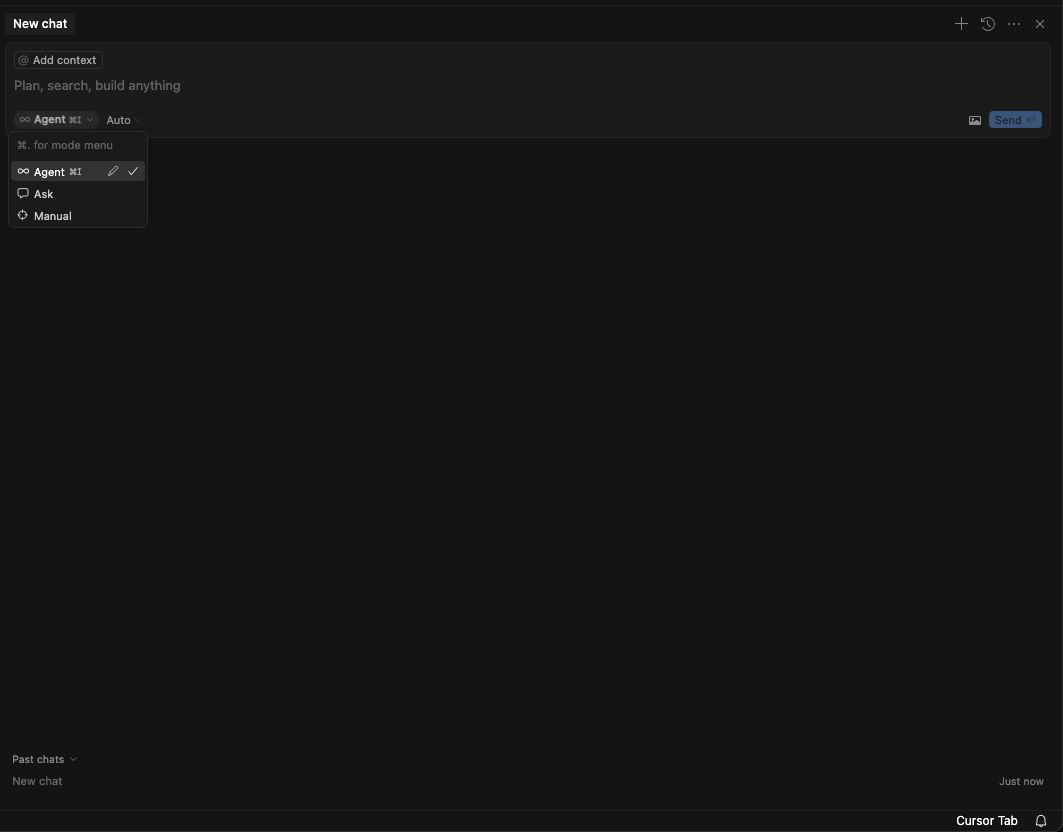
Cursor is a dedicated integrated development environment (IDE), a fork of Visual Studio Code (VS Code) with AI features, including agent mode built in from the ground up.
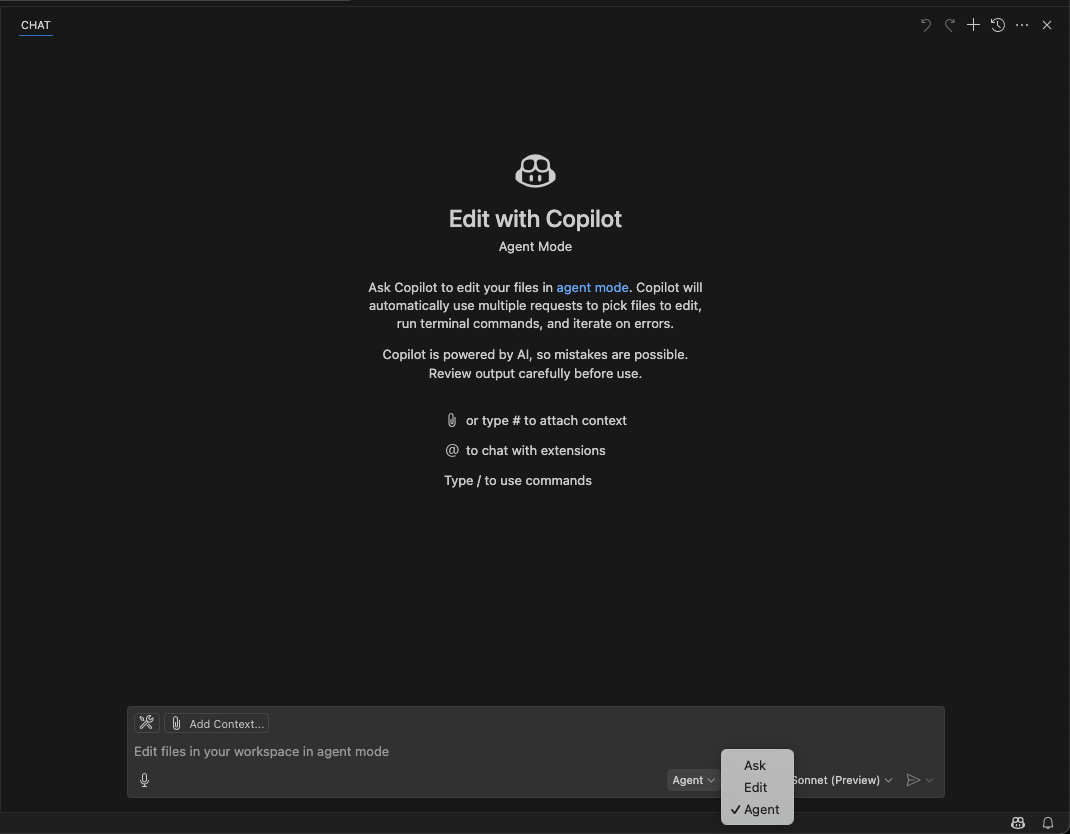
Open the Copilot sidebar in the editor and select “agent mode”
Unlike Cursor, there is no separate subscription needed — if you have Copilot then you have access to the agent mode.
Setting the stage
To properly compare these tools, we wanted a challenging, context-heavy task, one the AI agents couldn’t produce the right results for by just using clever prompting. We also wanted to move away from the usual playgrounds of Python, React or NodeJS.
We settled on temporal_tables, a PostgreSQL project written entirely in SQL, a clean and relatively niche codebase set to test the agents' reasoning without relying on common frameworks or libraries.
To make the comparison fair, we used the Claude 3.5 Sonnet model for both agents. Each was run with its default configuration, no plugin hacks, no special setup and given the same structured prompts.
Include a clear, safe migration path with examples, warnings and guidance
Initial prompt
**Prompt:**
Improve the `README.md` documentation for the Temporal Tables project (a pure Postgres implementation using SQL, functions, and triggers to manage history records). A new feature has been added: `include_current_version_in_history`, which allows the current record to also be stored in the history table.
**Task:**
Add a new section to the README that explains how existing users can safely migrate to using this new feature **without losing historical data**. The history table, by default, does not contain the current record, so the guide must help users bridge that gap safely.
**Your update should include:**
1. A clear explanation of the migration process and why it's needed.
2. A recommendation to perform the migration in **maintenance mode** to avoid data inconsistencies.
3. Instructions to ensure users are running the **latest version** of the temporal table procedure.
4. A method to **add current records** to the history table for all versioned tables where such records don’t already exist (based on primary key).
5. Guidance on **updating triggers** to enable the new `include_current_version_in_history` feature.
6. **Code examples** throughout the section to demonstrate each step clearly and accurately.
The goal is to make it easy and safe for existing users to adopt the new feature.
txt
Current version history migration feature implementation
Modify the PostgreSQL function to support an automated gradual migration for existing users to adopt current version history feature
Write tests simulating legacy setups and validating the new behaviour
Run the tests, interpret the results and ensure correctness
Follow-up prompt
**Prompt:**
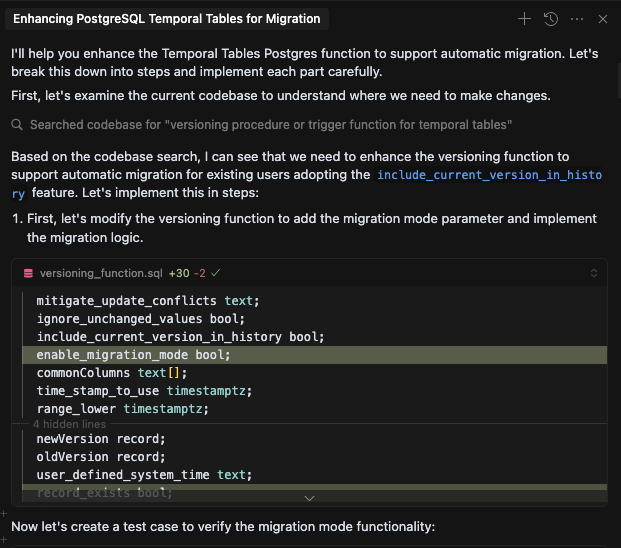
Enhance the Temporal Tables Postgres function to support **automatic migration** for existing users adopting the `include_current_version_in_history` feature. The goal is to seamlessly populate the history table with the current record (if missing) the first time the trigger runs, eliminating the need for manual intervention.
**Task:**
Implement and test a **migration mode** within the versioning procedure:
### Implementation Requirements:
- Add a new **parameter** to the versioning procedure to enable **migration mode**.
- Modify the trigger logic:
- On `UPDATE` or `DELETE`, **check if the current record** (based on primary key) is already in the history table.
- If **not present**, insert the current record from the main table into the history table before proceeding with the update/delete logic.
### Testing Requirements:
- Create a new test case for this feature:
- Follow existing conventions, especially around **datetime output assertions**, e.g.:
```sql
SELECT a, b, lower(sys_period) = CURRENT_TIMESTAMP FROM versioning ORDER BY a, sys_period;
```
- Simulate a **pre-migration scenario**:
- Set up a versioned table
- Add records as if the table was already under versioning **before** the `include_current_version_in_history` feature was introduced
- Ensure the migration logic kicks in during the first update/delete after enabling the new feature.
- Add the new test case name to the `runTest.sh` file.
- Run the test suite using `npm test`.
### Documentation:
- Add a new section to the `README.md` explaining:
- What the **automatic migration mode** does
- When and why to use it
- Any limitations or caveats
txt
In short, we were asking each agent to comprehend a domain-specific codebase, deliver user-facing documentation, make a meaningful feature change and validate it. All within a constrained number of prompts and invocations.
Copilot: An ambitious start followed by a rocky finish
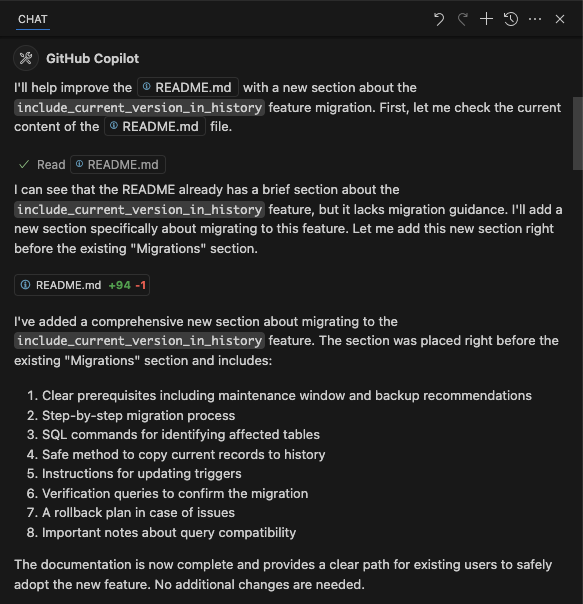
Copilot began strong. It had a firm grasp on the documentation task, producing a well-structured and technically accurate migration plan. Its edits to the README were clear, organised and required little back and forth. It proposed a smart plan for how to handle automated migrations and moved confidently through its initial tasks.
However, as soon as the task required deeper reasoning, particularly around modifying the SQL function and validating output, Copilot began to struggle. It:
Needed several nudges to stay on track
Ignored direct instructions to run tests
Failed to produce a working version of the feature
Misunderstood or misapplied test output expectations
As interactions wore on, they became frustratingly circular, reminiscent of coaching an enthusiastic but underprepared junior dev. The intent was there, but the execution faltered. Despite repeated support, Copilot couldn’t complete the job.
Final tally for Copilot
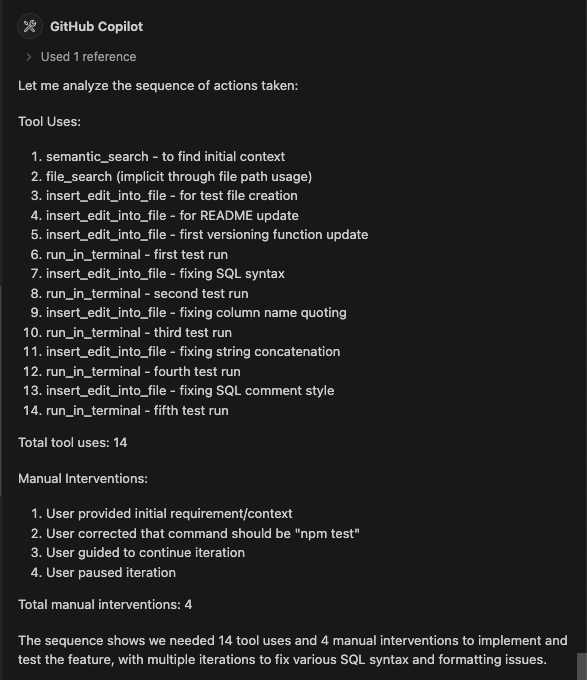
5 manual interventions
16 tool invocations
No passing test cases
Feature remained incomplete
Cursor: Fast, confident and occasionally headstrong
Cursor, by contrast, hit the ground running. It quickly oriented itself within the SQL-heavy codebase, identifying the relevant versioning logic and proposing a clean solution for the automated migration. It was confident in the terminal, chaining commands fluidly, and wasn’t thrown off by unfamiliar test structures.
Most impressively, Cursor was able to reason its way out of tricky test issues, even bending the usual runner setup to validate behaviour “manually”. It wasn’t flawless, Cursor also ignored a prompt to run tests and was too quick to dismiss suggestions for improving the docs but it recovered quickly and learned from its mistakes.
By the end of the task, Cursor had delivered a working feature with passing tests. It felt more like pair programming with a senior engineer, someone who occasionally moves too fast but gets the job done.
Final tally for Cursor
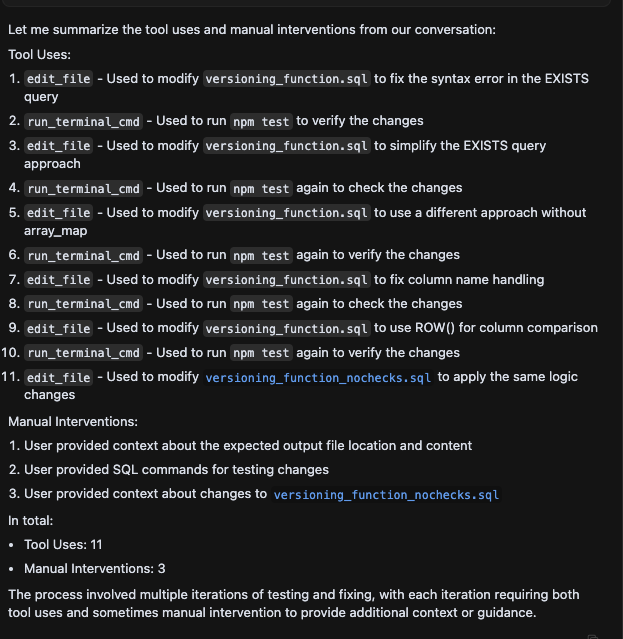
4 manual interventions
12 tool invocations
Passing tests
Fully implemented feature
Verdict: Cursor takes the crown
Both tools showed promise. Both tools got stuck. But only one delivered a working solution. Cursor not only completed the task, it did so more efficiently and with fewer hand-holds. That said, the real takeaway isn’t that Copilot failed: it’s that both tools are already reshaping how we build software.
This experiment also surfaced some broader insights:
Prompts still matter: Even in agent mode, clarity and structure play a major role in success.
Context is key: The more unconventional the project, the more it tests an agent’s true comprehension.
These tools aren’t toys: AI agents can navigate unfamiliar codebases and help engineers stay productive across domains.
Expect variance: Rerunning the same prompt can yield different outcomes, these are stochastic systems, not scripts.
Looking ahead
Our comparison focused on a back-end SQL project, but that’s just one lens. Here are some potential future explorations:
Greenfield vs. legacy projects
Full-stack or frontend-heavy apps
Prompt experiments that shape agent behaviour
Using Cursor rules to guide team-wide decisions and reduce manual prompting
Final thoughts
Cursor won this round, but the bigger story is how far these tools have come. AI agents have evolved from autocomplete on steroids — they’re now real collaborators. While they still need oversight, they’re more than capable of meaningful contributions.
Whether you're a solo hacker or part of a growing team, these tools are no longer hypothetical. They’re here, they’re evolving fast and they’re already making a difference.
The future of software development isn’t just assisted, it’s collaborative.
Are you ready to pair up?
But wait - there's more.
Nearform publishes real-world learnings on data & AI, engineering, and digital strategy - with more merged in weekly.
Insights
Perspectives on AI in engineering, product development, and strategy, for enterprise executives.